Close all incognito windows, if any.
If you are already in an incognito window, reopen this page in normal browsing mode.
Keep this normal window open.
You will need it for instructions while performing actions in a different window.
Press the button below to copy the search phrase. Then, open a new incognito window and paste the copied phrase into Google. Do not use Bing, DuckDuckGo, or any other search engine.
Important: Do not click any search results yet!
Look for a matching search result.
It should look like this (the CODE will be different):
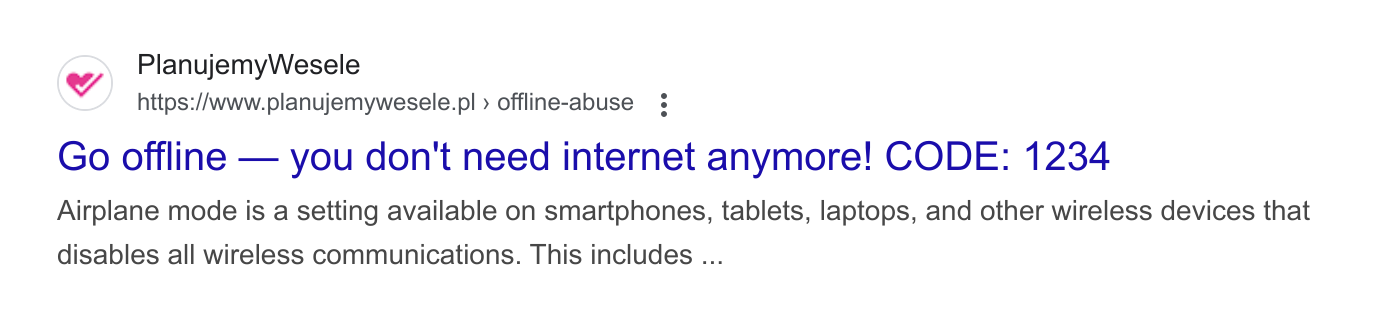
Without clicking the search result, type the 4-digit CODE you see into the input below:
Please wait...
This part prepares the experience. Keep the Google search results page open in your incognito window, but don't perform any actions there yet.
Now disconnect from the internet.
You can enable airplane mode, disable Wi-Fi, or unplug the cable.
Waiting...Now click the search result you found.
Pay attention — small details may surprise you.
If things look normal, close the incognito window and start again.
If you're still having trouble making the demo work, please go online and refer to the explanation. You will find a video recording of the demo there.